 Kanzonas
Turn pictures into SVG files
Logos, drawings and scans traced into clean SVGs you can edit in Inkscape, Illustrator or any vector editor. Open a picture and KanzonasSVG picks the settings that suit it. Open source, no account, nothing uploaded.
Newest version from GitHub releases
Linux (AppImage) · Windows without installing (zip) · All releases · Source code on GitHub
About the Windows warning. Windows warns about programs that aren't code-signed and that it hasn't seen much yet, and every new version counts as new. The code-signing certificate that stops this costs money this free project doesn't spend yet. The warning doesn't mean anything is wrong. If your browser asks, choose Keep; if Windows says "Windows protected your PC", click More info > Run anyway.
Why you can trust it: the source code is public on GitHub, and every download is built by GitHub's own servers straight from that code, only after its automated tests, a battery of tests that tries to break it, and a self-test of the finished program pass. Each release lists SHA-256 checksums so you can check your copy. No ads, no account, and it never goes online: your pictures stay on your computer.
Questions? Write to support@kanzonas.com.
What it does
Picks the settings for you
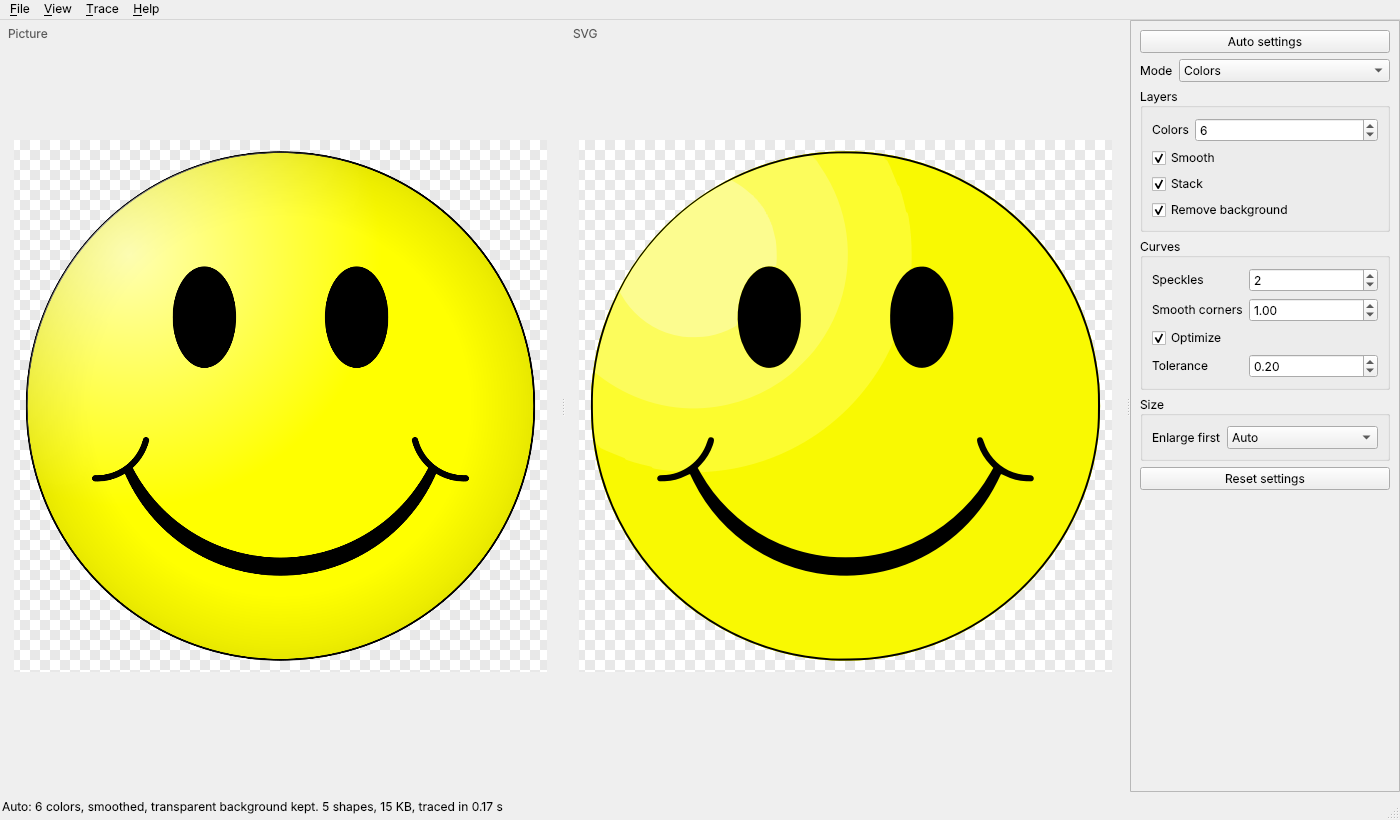
Open a picture, drag it in or paste it, and Auto settings chooses the number of colors, smoothing for photos and scans, and the background. The SVG appears beside the picture; change any setting and it updates.
Exact colors, sharp edges
A logo's colors come out exactly as in the picture, with no rings of in-between shades around letters and shapes, and the holes in letters like O stay holes.
Remove the background
Make the color around the picture see-through, keeping it inside shapes, or remove it everywhere. A transparent background stays transparent.
Modes for every kind of picture
Colors (best for logos), grays, brightness steps, black and white for scans of line drawings, edges, and centerline tracing: lines along the middle of strokes.
Fast, even on big pictures
Uses all your computer's cores: a 12-megapixel photo is traced in about a second, with a quick preview first. The window never freezes.
Save, copy or batch
Save the SVG, or copy it and paste it straight into Inkscape. A command line converts one picture or a whole folder at once.
What's new
Inkscape's tracing, fixed
KanzonasSVG's tracing is Inkscape's Trace Bitmap (Potrace and Autotrace), taken out of Inkscape and fixed. Here's how many pixels come out badly wrong (off by more than 25% when the SVG is drawn and compared with the picture). Lower is better.
| Picture | Mode | Inkscape's code, before the fixes | KanzonasSVG |
|---|---|---|---|
| Smiley | Colors, 8 | 0.47% | 0.27% |
| Smiley | Autotrace colors, 8 | 65% | 0.61% |
| The Starry Night | Colors, 16 | 3.0% | 2.3% |
| The Starry Night | Autotrace colors, 16 | 30% | 12.7% |
| A two-color logo | Colors, 8 | 0.89% | 0.17% |


Measured by KanzonasSVG's own tests (both named pictures are public domain). It's faster too: a 12-megapixel picture with 8 colors took 6.4 s with Inkscape's code before the fixes and 1.8 s with these fixes alone. The cost: keeping strong edges sharp adds about 15% more nodes on detailed pictures. The same fixes were offered to Inkscape: inkscape!8302. Inkscape is a trademark of its owners.
Free, with no account, no watermark and no upload: unlike many online converters, your picture never leaves your computer. Missing something? Tell us.
Good to know
- Free and open source (GPL-2.0 or later)
- Windows, and Linux (64-bit PCs; Ubuntu 22.04, Debian 12, Fedora 36 or newer)
- Never goes online; nothing is uploaded
- Opens PNG, JPEG, BMP, GIF, WebP and TIFF pictures, or a picture you copied
- Installs without administrator rights, and adds itself to "Open with" for pictures
- Updating: install the newer version over it